CD Ripping
Here’s how to rip your original CDs so you can put them in storage and play music from your streaming server instead.
Optical drive
It starts with a suitable CD drive (usually CD/DVD/Blu-ray compatible nowadays).
Optical drives have all but vanished from computers - I purchased an external Verbatim 43888 Blu-ray Writer (slimline, USB-powered) to use with my MacBook Air.
The Verbatim 43890 might also work - it seems that Verbatim uses LG or Panasonic drives. Not sure how to check that before purchase.
It turns out that my Verbatim 43888 actually contains a Pioneer BDR-UD04 drive (as reported by XLD):
PIONEER BD-RW BDR-UD04 (revision 1.11)
Ripping software
On macOS, I use X Lossless Decoder, or ‘XLD’ (Sourceforge download)
I first tried fre:ac v1.77 but it crashed immediately when attempting to open the CD drive. This could be a problem with macOS protections; applications need to request access to the optical drive.
XLD settings
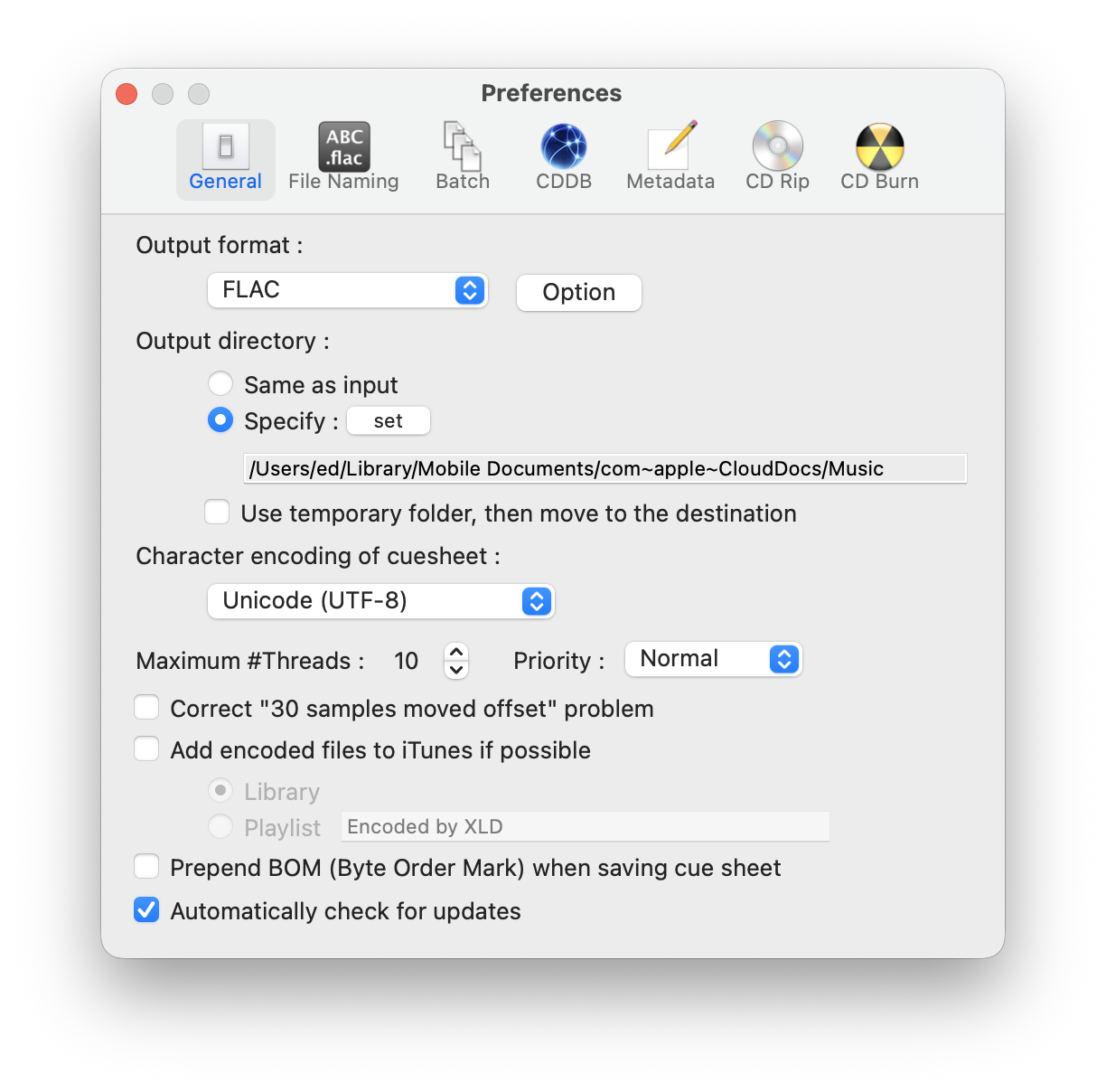
In XLD > Settings > General, I chose FLAC output:
Next, the files should be organized into directories based on the album artist and album name:
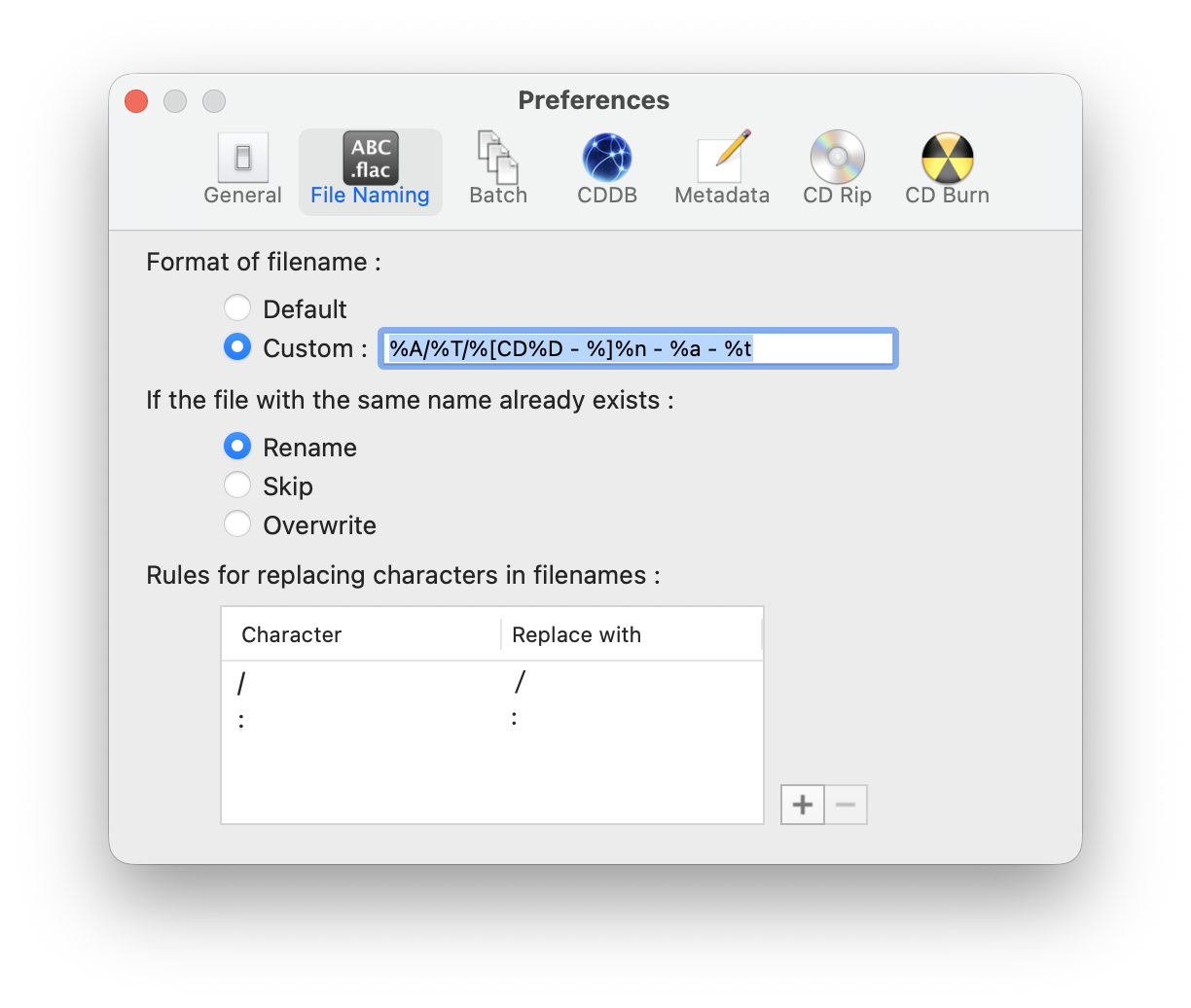
The “percent-letter” codes are replaced by the actual metadata from the CD. In my case:
%A/%T/%[CD%D - %]%n - %a - %t

<Album Artist>/
  <Album Name>/
    CD<disc number> - <track number> - <track artist> - <track name>
For example:
Faithless/Reverence/CD1 - 06 - Faithless - Insomnia.flac
Disc metadata is obtained from a CDDB-compatible server:
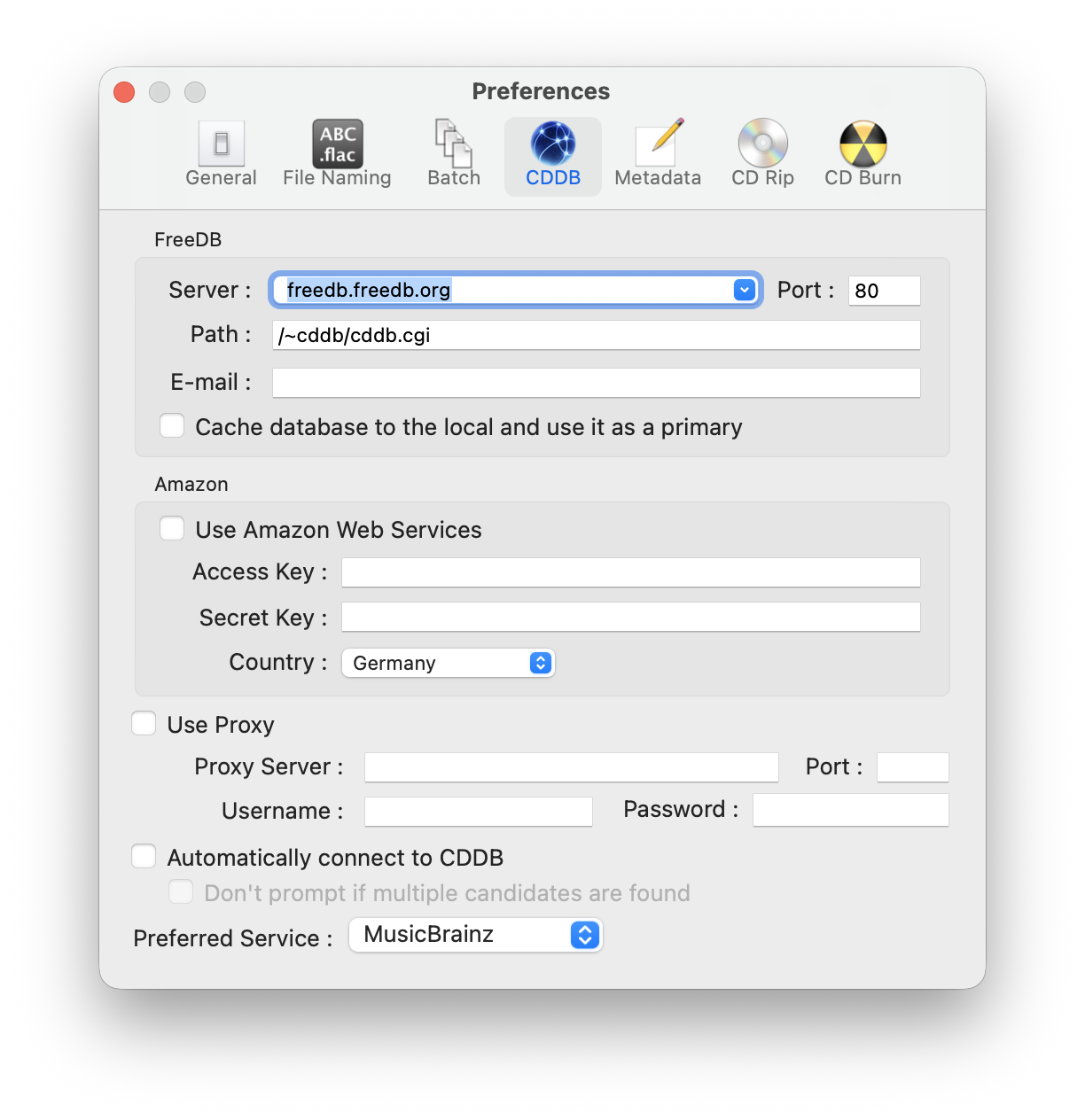
I changed the ‘Preferred Service’ from ‘FreeDB’ to ‘Musicbrainz’ but that did not resolve my issue with missing album art. Apparently, XLD only supports Amazon Web Services for retrieving album art, and there appears to be an issue with the AWS credentials in XLD not being accepted by AWS.
This means that there’s no album art embedded in the FLAC files at the moment. Oh well. The most important part is that the CDs are ripped correctly. I use the following CD Rip settings:
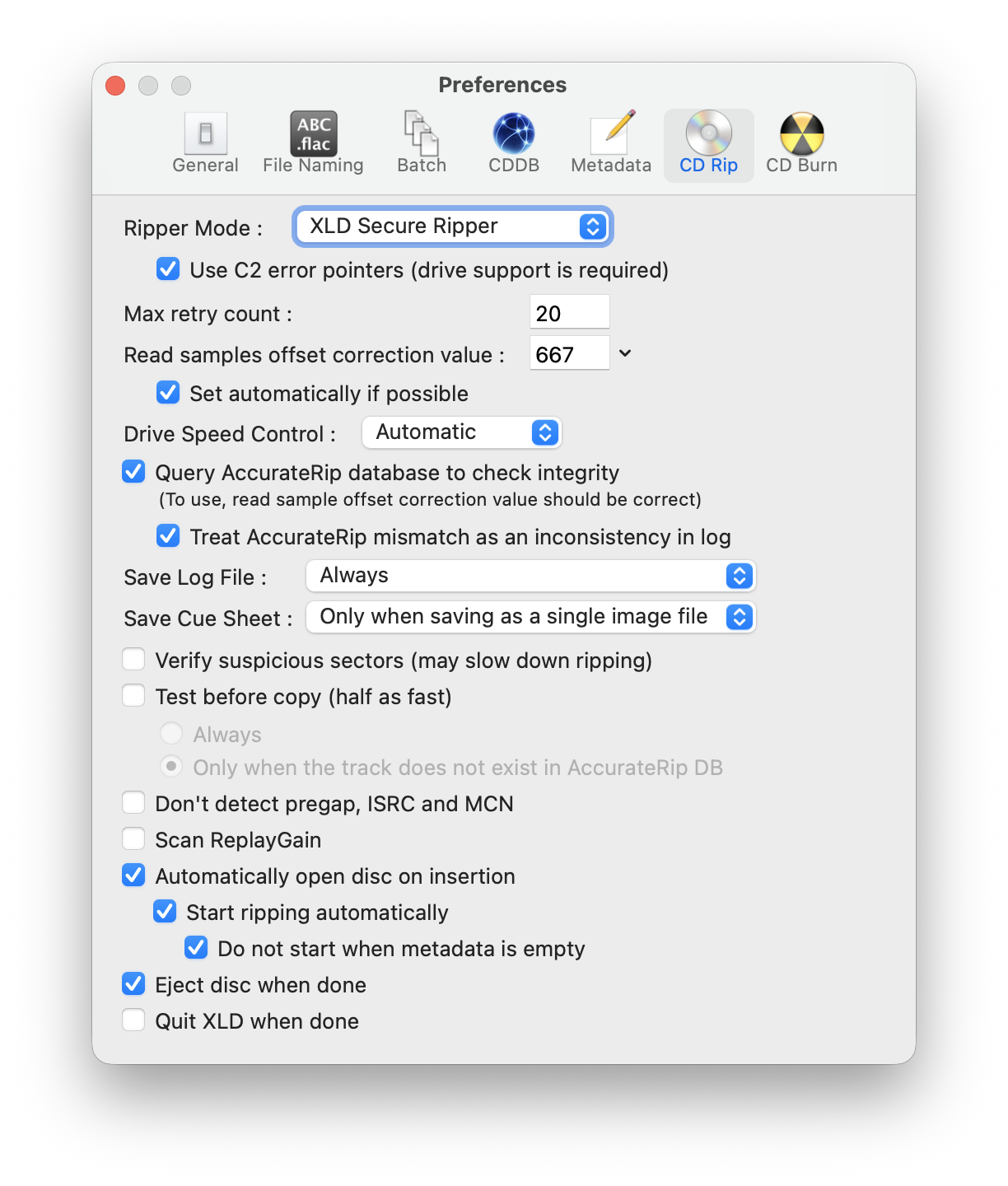
I enabled the “Use C2 error pointers” and “Query AccuRip” options.
As James Brown so eloquently put it: “Time to Get Busy”. Or, as the Dixie Chicks said: “Let ‘Er Rip!”